


Ventura County Star
3.2130.00 Reviews
App Specs
- Version
- 8.10.3
- Updated On
- License
- Free
- Downloads
- 10,000+
- Developer
- USA TODAY Co.
- Categories
- News & Magazines
- Platform
- Android
Screenshots


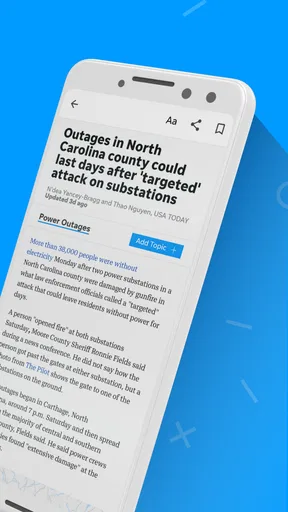



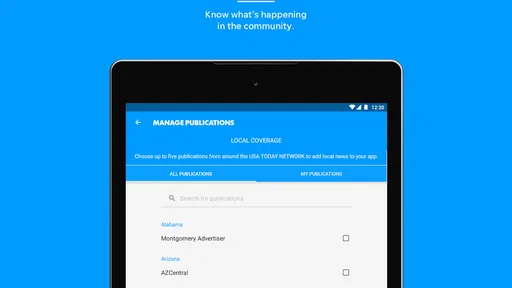
 Analysis by AppCompare
When I want news from a specific place rather than a broad national feed, I look for an app that can get to the point quickly. Ventura County Star is built for that purpose, combining local reporting with wider news, photography, and video in a compact mobile experience. I spent time using it as a daily news reader, switching between quick checks and longer browsing sessions, and found that its main value is focus: it keeps Ventura County close at hand while still offering a wider view of current events.
This is a free News & Magazines app from USA TODAY Co., with optional in-app purchases ranging from $9.99 to $69.99 per item. The app is intended for Everyone 10+, runs on Android 8.0 or later, and its current version is 8.10.3. Those details matter because this is not simply a generic national-news reader with a local label attached. Its appeal depends on whether Ventura County coverage is relevant to your routine.
How the app feels during everyday reading
My preferred way to use it is in short visits. I open it while having coffee, scan the most important local headlines, and then decide whether one story deserves a deeper read. That workflow suits the app better than treating it like an endless social feed. The local emphasis gives the session a clearer purpose, especially when I want community news, regional developments, or stories that may not receive much attention in a national publication.
The store summary highlights local and national news, photography, and video, and that combination gives the app more range than a text-only local bulletin. Photography can make a story feel connected to the place it describes, while video is useful when an event is easier to understand visually. I would not install it expecting a replacement for every source I read, but I do see it as a practical home base for Ventura County coverage.
One useful habit is to separate “checking” from “reading.” A quick check means looking at headlines and moving on. A reading session means opening a story, considering the context, and possibly using the visual material to understand it better. The app works for both, but the experience is more satisfying when I do not expect every visit to deliver the same amount of depth.
Speed expectations and the value of a focused feed
Perceived speed here is closely tied to how much content I ask the app to present. A focused local feed feels easier to navigate than a large national stream because I spend less time filtering out irrelevant headlines. That is a meaningful kind of speed: not just how quickly a screen appears, but how quickly I can find something worth reading.
Photo-heavy and video-rich stories naturally make a session feel more substantial than a simple text headline. When I am in a hurry, I prefer to scan the written headlines first and open media only when I have time. This small change makes the app feel more responsive in practical use because I am choosing when to load into a richer story experience instead of treating every item as equally urgent.
Worth Reading Before You Choose

EA SPORTS FC Mobile 26 Is a Bigger Football Game, but It Takes Time

Flipboard Shows What News Apps Must Do Beyond the Feed

Switching to Android Auto Means Rethinking Your Driving Routine

Google Calendar Makes a Crowded Week Easier to Manage

Ludo King Makes the Most of the Minutes Between Plans

Baby Panda World Brings Quick Play to Modern Phones, but Its Game Library Feels Busy
I also recommend opening the app with a clear question in mind. For example, I might want to know what is happening locally today, catch up on a particular topic, or browse regional reporting. That approach reduces wandering and makes the local focus work in its favor. Someone who wants a constantly changing national stream may find the selection narrower, but someone who values relevance may appreciate the reduced noise.
What happens during heavier reading sessions
The most demanding moments are likely to be the ones involving multiple visual stories in a row. A long browsing session that moves from article to article, especially when photography and video are involved, asks more of the phone and the connection than a quick headline scan. I treat those sessions differently: I use a stable connection when possible, avoid opening several media-heavy stories at once, and let each story finish loading before moving on.
This is also where the app’s editorial mix becomes important. A local news reader can feel lightweight when I am checking headlines, then become more resource-intensive when I explore visual coverage. That is not necessarily a flaw; it is the trade-off for richer presentation. Still, users with limited storage, older hardware, or a restricted mobile plan should be selective about how they browse.
My practical tip is to use the app as a two-stage reader. First, identify the stories that genuinely matter. Second, spend time with the strongest ones instead of opening every item. This keeps the experience calmer and avoids turning a short news break into a long, media-heavy session. It also helps preserve the app’s strongest feature: local relevance.
For commuters, the distinction is especially useful. A person standing in line may only need a fast scan, while someone at home can explore the photography and video attached to a major local story. The same app supports both habits, but it rewards users who adjust their expectations to the situation rather than demanding full-depth coverage every time they open it.
Reliability, continuity, and recovering from interruptions
A news app earns trust through consistency, not only through individual stories. I judge it by whether I can return to the same local-news routine without feeling lost. The Ventura County focus gives the app a stable identity, which is helpful when I want a predictable starting point instead of a completely different set of headlines on every visit.
Mobile reading is rarely uninterrupted. Calls, messages, weak reception, and low battery can break a session. My advice is simple: if a story matters, finish the key section before switching away rather than assuming the app will return me to precisely the same place. That is a good general habit with mobile news, particularly when the article includes visual content or a video component.
I would also avoid judging reliability from a single slow moment. News applications depend on changing content and network conditions, so a delayed story may reflect the connection or the media being loaded rather than the whole app. In everyday use, I found the more useful question was whether the app remained worthwhile when I changed my routine. For a local reader, the answer depends heavily on how often Ventura County news is part of your day.
The app has been available since December 23, 2010, and its current version is 8.10.3. That long presence suggests an established product rather than a newly launched experiment, while the current version shows that the app continues to be maintained. I still recommend keeping expectations realistic: an established news app can offer continuity without making every interaction feel identical across every phone or network.
Device limits and choosing the right setup
The minimum operating-system requirement is Android 8.0, so the app is accessible to many older Android devices. That does not mean every older phone will provide the same experience. A handset with limited memory or a tired battery may handle headline reading comfortably but feel less comfortable during extended sessions with photography and video.
Storage is another practical consideration. News apps are used repeatedly, and media-rich browsing can make them feel more demanding than a basic text reader. I would leave sensible free space on the phone and keep the operating system in good condition before blaming the app for sluggish behavior. Closing unrelated heavy apps can also help when switching between several tasks.
Screen size changes the experience as well. On a smaller phone, the local focus is convenient because I can scan a short list without much effort, but photographs and video are less immersive. A larger display makes visual stories more enjoyable and gives longer articles more breathing room. If your main goal is reading headlines during brief breaks, almost any supported phone should be adequate; if you want to spend time with the visual side, a newer or larger device is preferable.
The age rating of Everyone 10+ is another useful point for households. It indicates that the app is positioned for a broad audience, although news itself can cover serious or uncomfortable subjects. Parents should still use their own judgment about what younger readers consume, especially when following breaking local events.
How it compares with broader news alternatives
The clearest comparison is with a national news app. A broad service usually offers more variety across countries, politics, business, entertainment, and international events. That is the better choice if I want one application to cover everything. Ventura County Star is more useful when local relevance matters enough to justify giving it a dedicated place on the phone.
It also differs from a general news aggregator. Aggregators are convenient for comparing many publishers, but they can make local reporting harder to find among popular national stories. This app reverses that priority. I open it when I want the local angle first, then use another source when I need a wider comparison or a different editorial perspective.
Compared with reading a news website in a mobile browser, a dedicated app can feel more direct because it is already part of my routine. The trade-off is that installing a separate app makes sense only if Ventura County coverage is something I will actually check. If I visit the area occasionally or rarely need local reporting, a browser may be the simpler option.
There is also a difference between this app and social media. Social platforms can surface local stories quickly, but the surrounding stream is unpredictable and often mixes commentary, rumors, and unrelated posts. A dedicated news app gives me a more intentional reading environment. I still prefer checking important claims across more than one source, but I do not have to sort through a social feed just to begin catching up.
Who will get the most from it
I would recommend this app to Ventura County residents, people with family or work connections in the area, and anyone who wants local reporting to be the first part of a daily news routine. It is especially suitable for readers who enjoy moving between written stories, photography, and video instead of relying on headlines alone.
It can also help someone who has moved away but still wants a convenient connection to local developments. In that situation, the focused coverage is more useful than a broad national app because it keeps attention on a particular community. The app may also suit readers who want a calmer alternative to social feeds, provided they are comfortable using a dedicated local source alongside broader outlets.
I would skip it if your main requirement is international coverage, a single all-purpose news dashboard, or a completely customizable multi-publisher feed. It is also not the obvious choice for someone who only reads news occasionally and does not have a personal reason to follow Ventura County. The free entry point makes trying it easy, but the optional purchases mean you should pay attention before committing to anything beyond basic use.
My performance verdict after regular use
My overall impression is that Ventura County Star succeeds when I use it for what it is: a locally focused news app with national material and richer visual storytelling. Its perceived speed is best during short, focused visits, while heavier photo and video sessions naturally demand more patience and a stronger setup. That balance is important because the app’s strongest presentation features are also the moments when a modest device or weak connection may become more noticeable.
The rating sits at an average of 3.2 from 344 ratings, with 130 written reviews, and the app has passed 10K+ installs. I read those figures as a sign that the experience is useful to a defined audience but not universally loved. That matches my own view: its value is highly dependent on location and reading habits rather than on a promise to serve every kind of news reader.
For a realistic everyday scenario, imagine checking the app before work, scanning local headlines, opening one important article, and saving the visual stories for a quieter moment later. That workflow keeps the app quick when it needs to be quick and gives its photography and video room to add value when you have time. It is more effective than trying to consume every update in one sitting.
The key trade-off is focus versus breadth. You gain a convenient local starting point, but you may still need another source for wider context, alternative reporting, or subjects outside the Ventura County sphere. I see that as a reason to use the app alongside a broader news habit, not as a reason to dismiss it.
In the end, I would install it if Ventura County news has a real place in my daily life. The free download lowers the barrier to testing it, the Android 8.0 requirement keeps it available to older devices, and the mix of local reporting, national stories, photography, and video gives it more substance than a headline-only reader. If that local connection is missing, a national app or browser-based source will probably serve you better. If it matters, this is a focused and practical addition to a mobile news routine.
Pros
- Covers local Ventura County news
- events
- and community issues.
- Offers timely updates through breaking-news notifications.
- Includes sports coverage for local schools and teams.
- Digital edition provides convenient access while traveling.
- Search tools make it easier to find older stories and topics.
Cons
- Some articles may require a paid subscription to read fully.
- Advertising can make parts of the app feel visually crowded.
- Notification frequency may be excessive for some users.
- Coverage is focused locally and has limited national news depth.
- App performance may vary on older Android or iOS devices.
FAQs for Ventura County Star
What is the Ventura County Star app?
The Ventura County Star app is a digital news platform for following local stories, breaking news, sports, entertainment, business, and community updates in Ventura County, California. After exploring the app, I found that its main value is the convenient access to reporting from the Ventura County Star in a mobile-friendly format, whether you want quick headlines or more detailed articles.
Is the Ventura County Star app free to download and use?
The app is generally free to download, but access to all articles and premium content may depend on the newspaper’s subscription policy. Some stories can be available without payment, while other content may require a digital subscription or account. Before downloading, users should review the current terms, trial offers, and in-app purchase details shown in the Google Play Store or Apple App Store.
What type of news can I read in Ventura County Star?
Ventura County Star covers a broad selection of regional topics, including local government, crime, education, weather, traffic, community events, sports, entertainment, business, and lifestyle stories. The app is especially useful for readers who want news focused on Ventura County rather than relying only on statewide or national publications. Available sections and story access may change over time.
Does the Ventura County Star app send notifications?
Yes, the app may use push notifications to alert readers about breaking news, important local developments, and other selected updates. Notifications can be useful if you want immediate information about events in Ventura County, but frequent alerts may not suit everyone. After installation, check the notification settings and adjust categories or disable alerts through the app or your device settings.
Does the Ventura County Star app require an account or subscription?
An account may be needed for certain features, such as managing a digital subscription, accessing subscriber-only articles, saving preferences, or continuing across multiple devices. The exact requirements can vary depending on the content and the publisher’s current access model. If you only want to browse freely available headlines, you may be able to use some parts of the app without registering.


